Everything a salon needs to take bookings online
One plan, everything included — no tiers, no per-staff fees, no feature-gating. Here’s what’s actually in it.
Your Website
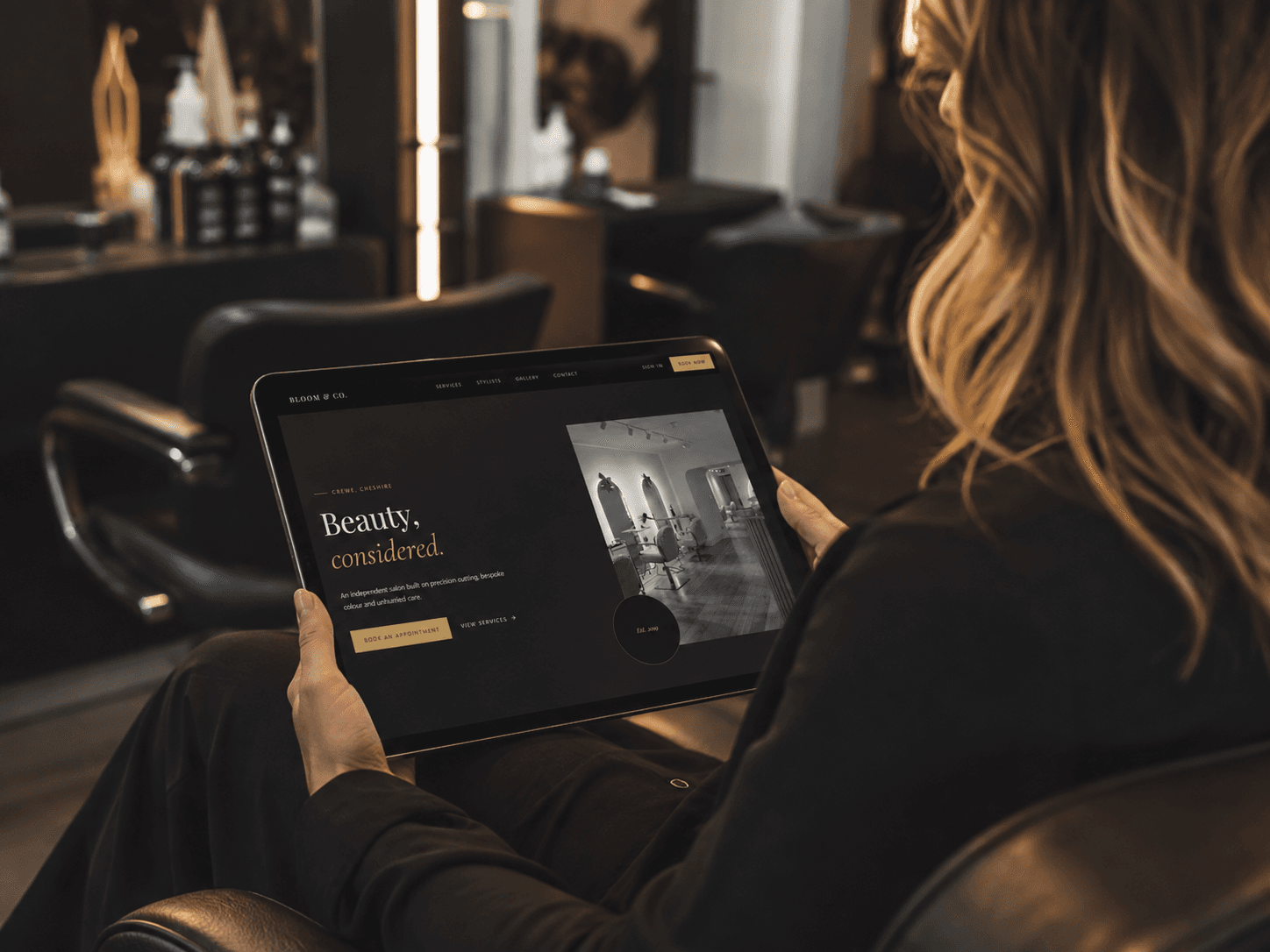
A booking website that's actually yours
Not a widget bolted onto someone else's directory page — a real, themed website on your own subdomain, with your name, your photos and your logo. Clients pick a service, stylist and time slot right there, no phone calls or DMs needed. They can also create an account to see their booking history next time.
Admin Dashboard
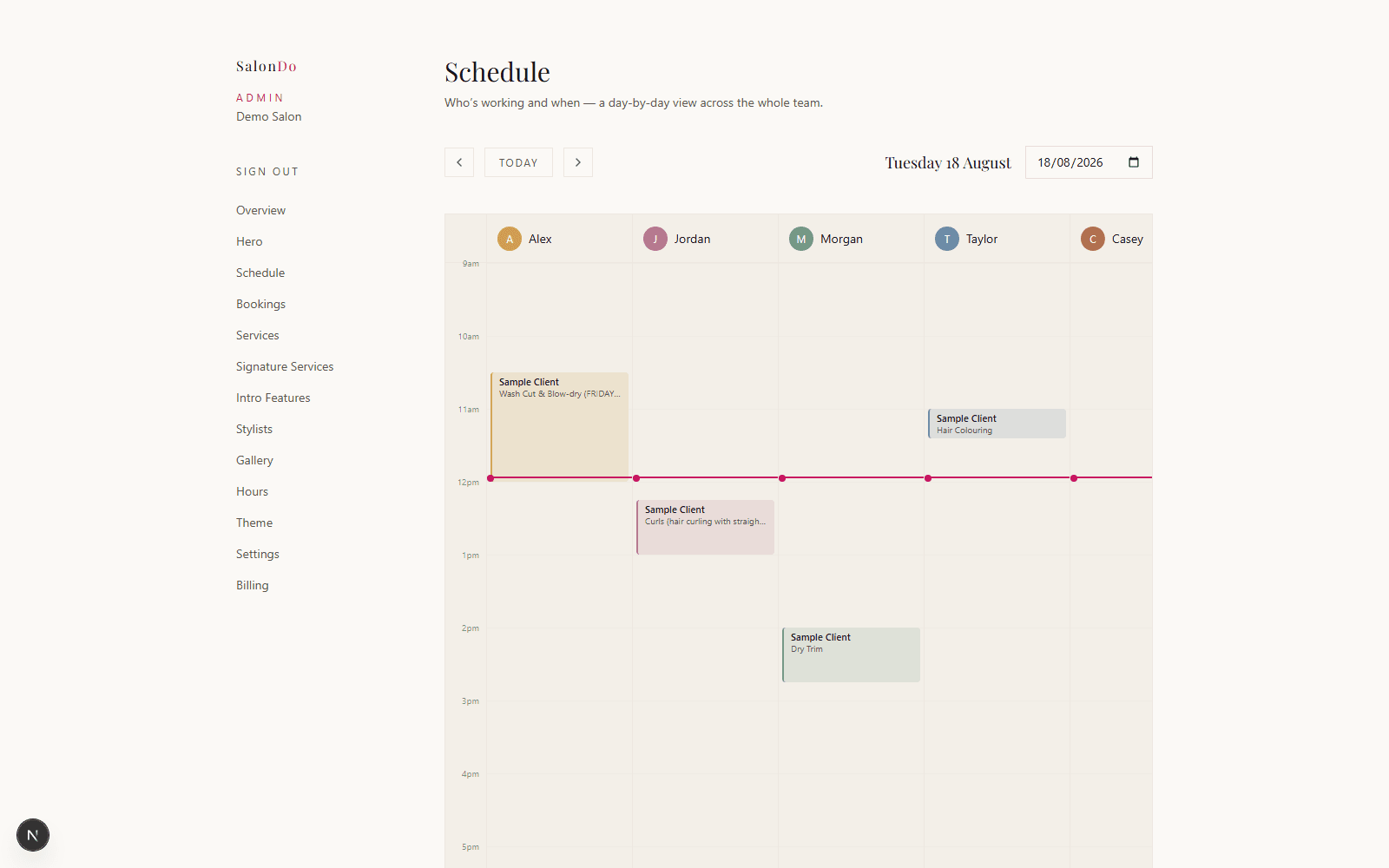
See your whole team's day at a glance
A side-by-side calendar shows every stylist's schedule for the day in one view — no clicking between individual calendars to find a free slot. Built for salons with more than one chair, where Slick and Vagaro charge extra per staff member.
Scheduling
Not every stylist works the same hours — now your booking site knows that
Give any stylist their own weekly schedule instead of the salon's default hours, split shifts and all, then add one-off exceptions for holiday, sickness, an extra day worked, or an early finish. Clients only ever see real availability — never a slot that doesn't actually exist.
Read the Working Hours & Time Off guide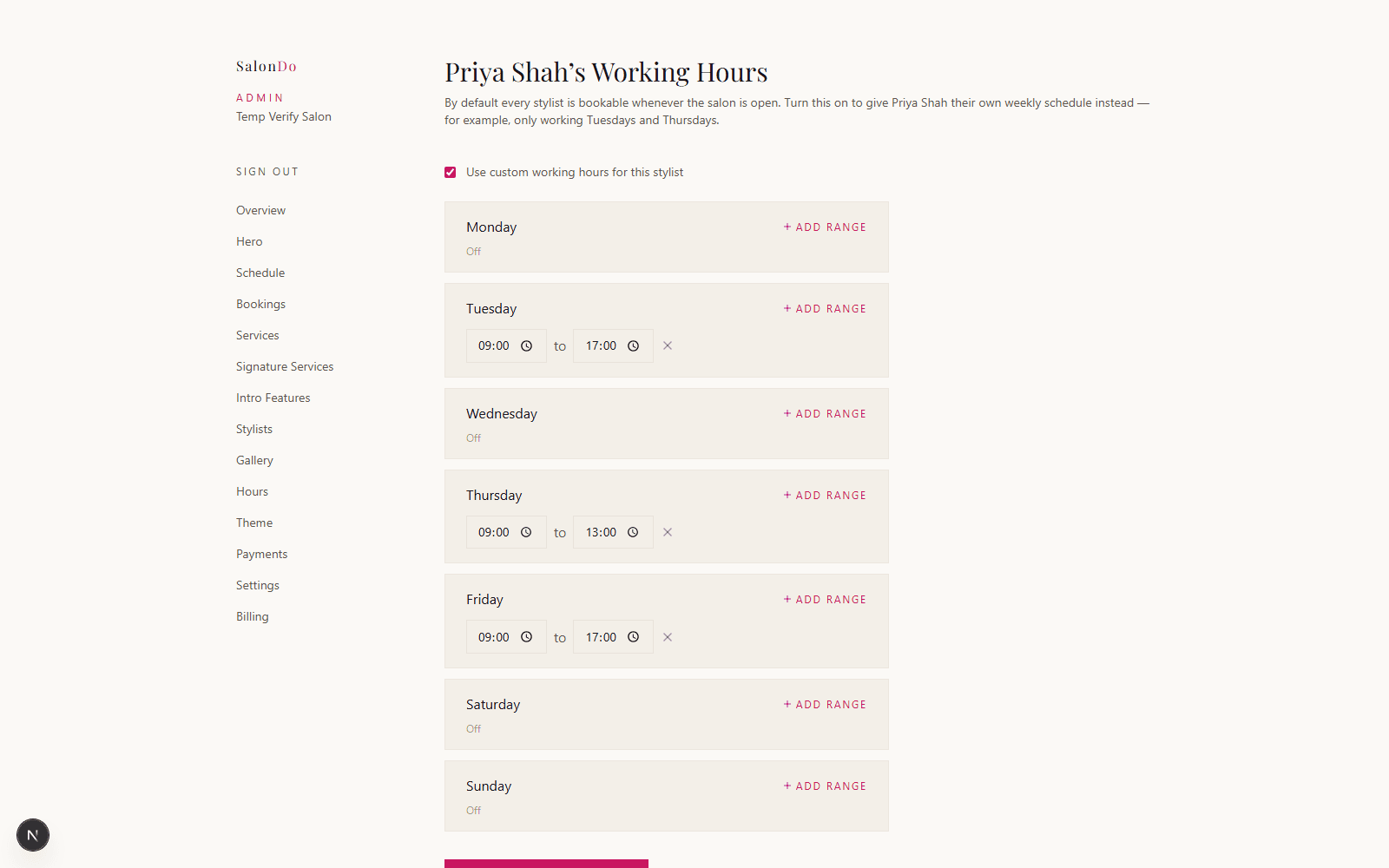
Admin Dashboard
One dashboard for services, stylists, hours and photos
Add categories, services, prices and durations, then assign each one to the stylists who offer it. Opening hours, gallery photos, signature services and stylist bios all live in the same place — no separate tools to juggle.
Read the Services & Stylists guide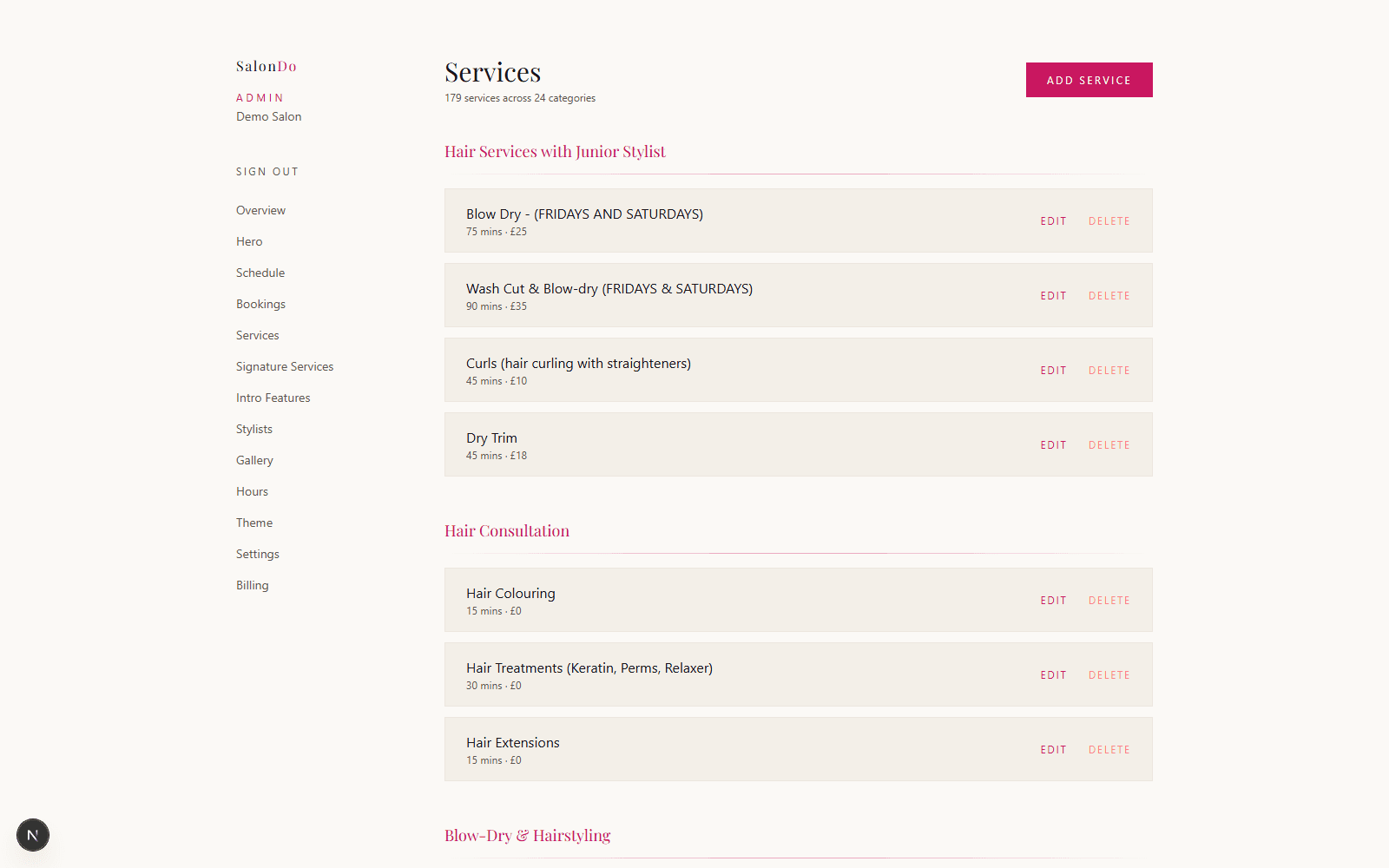
Client Records
Never start a conversation from zero
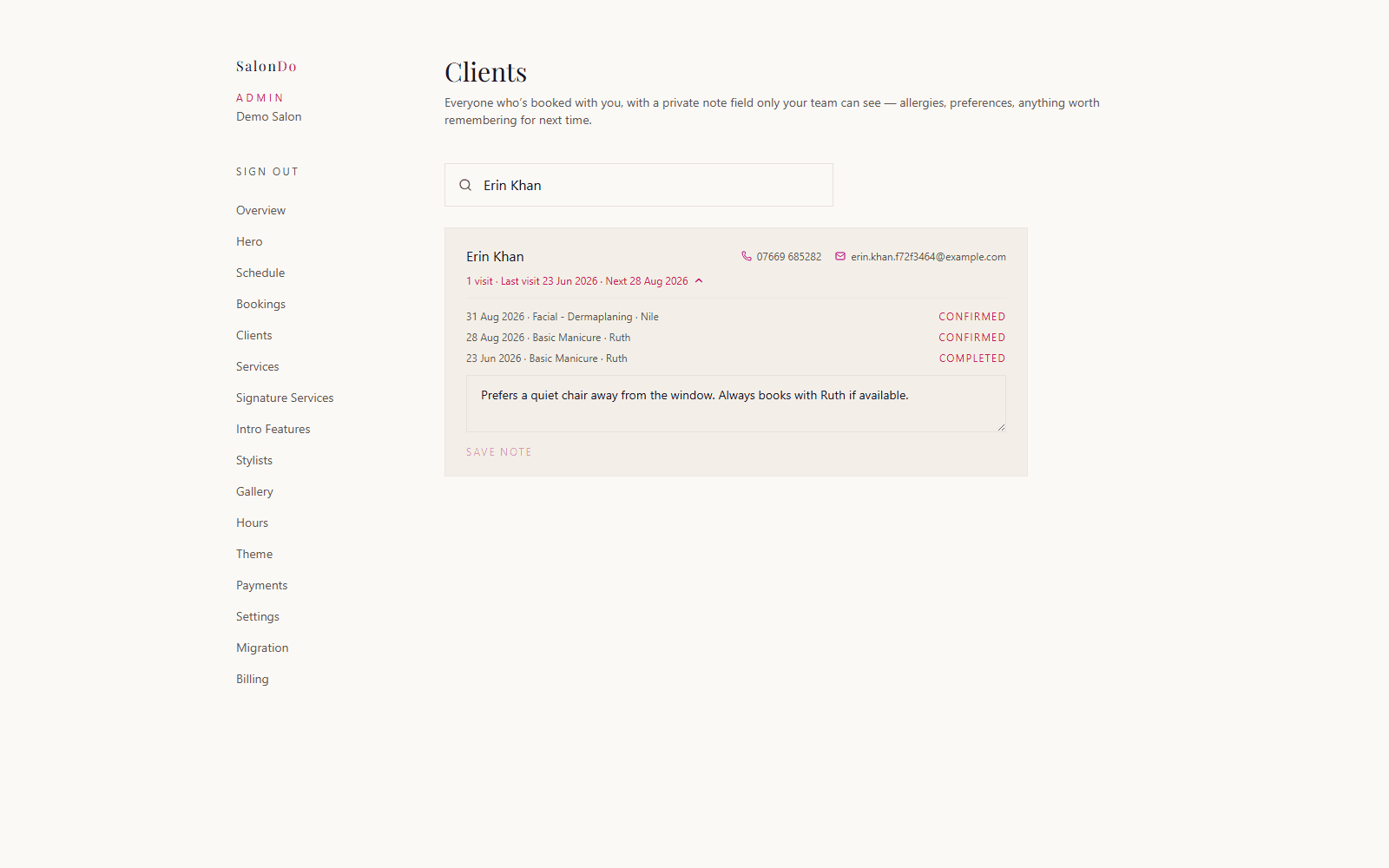
Every client who's booked with you gets their own record — full visit history at a glance (what they had, when, with who) and a private note field only your team can see, for allergies, preferences, or anything worth remembering. Search finds anyone in seconds, whether it's been a week or a year since their last visit.
Client Intelligence
Know who's gone quiet, before they're gone for good
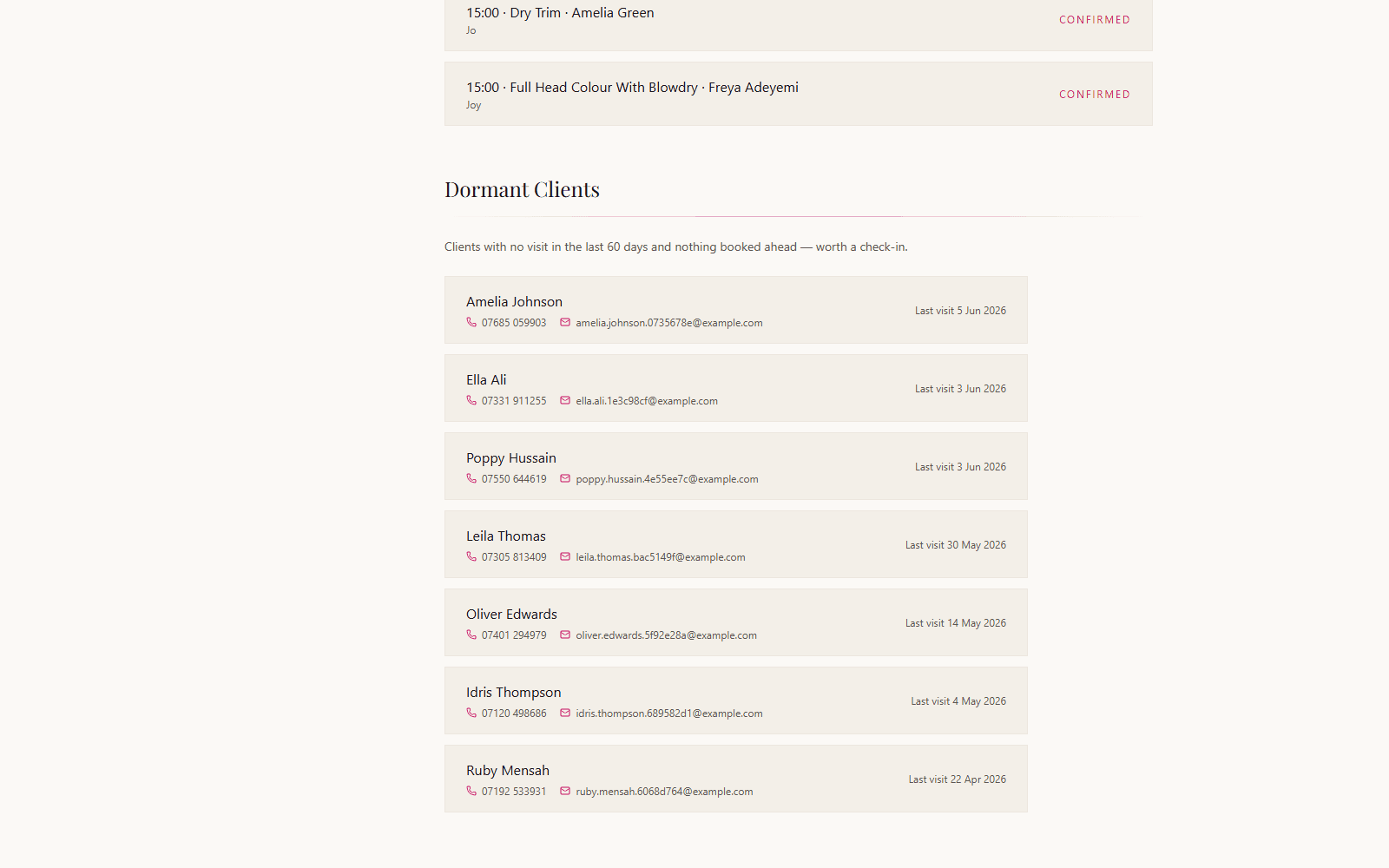
Most salons lose clients silently — someone who used to come every six weeks just stops, and nobody notices until it's too late to win them back. SalonDo watches for it automatically: anyone with no visit in 60 days and nothing booked ahead shows up right on your dashboard, with their phone number and email sitting there ready for a two-minute check-in. It's the kind of retention tool salons usually pay a separate CRM for — here, it's just part of the dashboard, included.
Design
A theme library built for salons, not templates built for everyone
Browse a library of professionally designed, WCAG-checked presets and apply one instantly, or fine-tune every colour yourself until it matches your brand exactly. Every theme is built specifically for how a salon site needs to look and read.
Read the Picking a Theme guide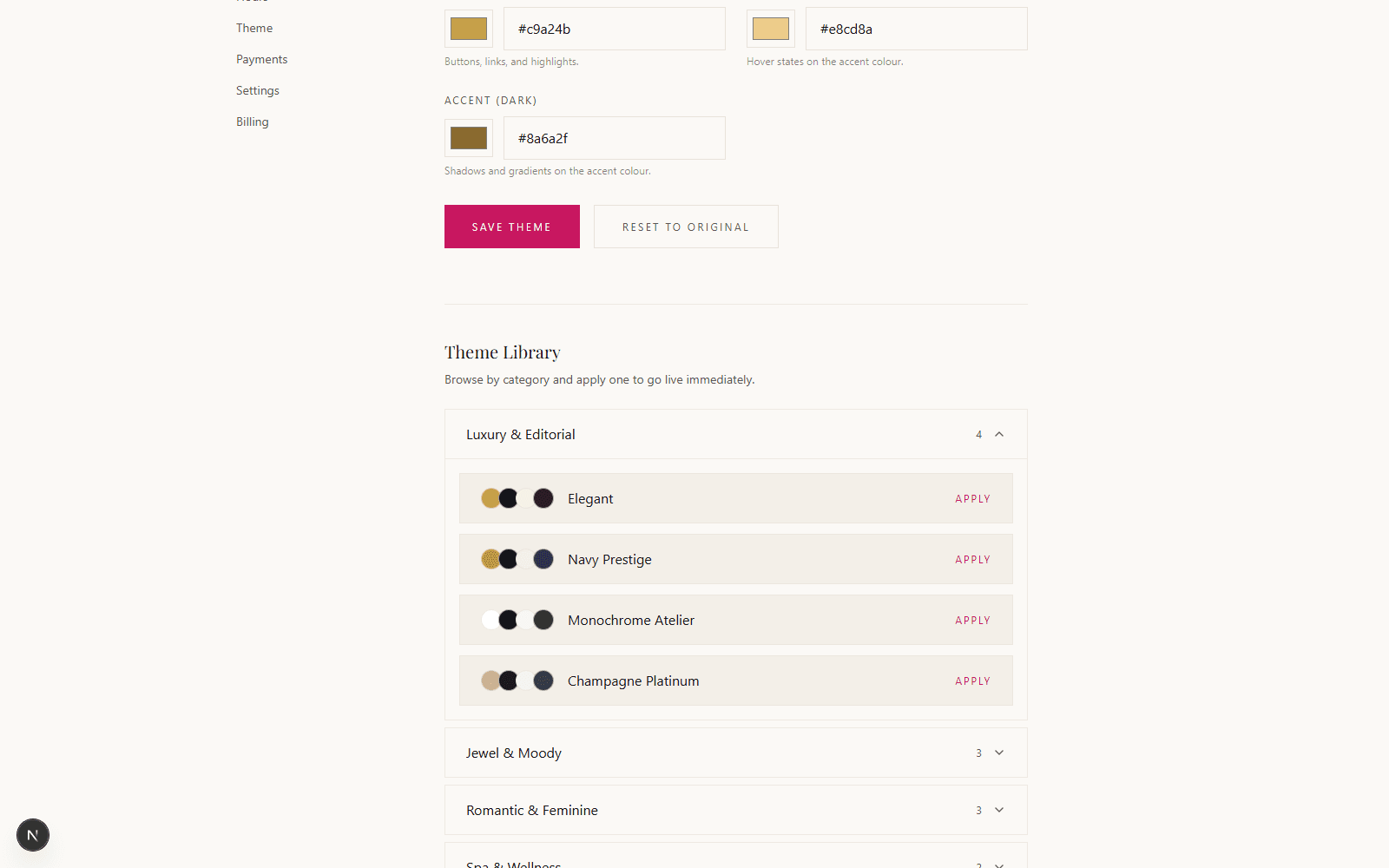
Getting Started
No professional photos yet? We've got you covered.
Every photo upload — hero image, stylist headshots, signature service tiles — comes with a built-in library of real, ready-to-use stock photos you can pick instead of uploading your own. Get a polished, fully populated site live on day one, then swap in your own photos whenever you're ready. No stock-photo site, no attribution, no cost.
Read the Quick Start guide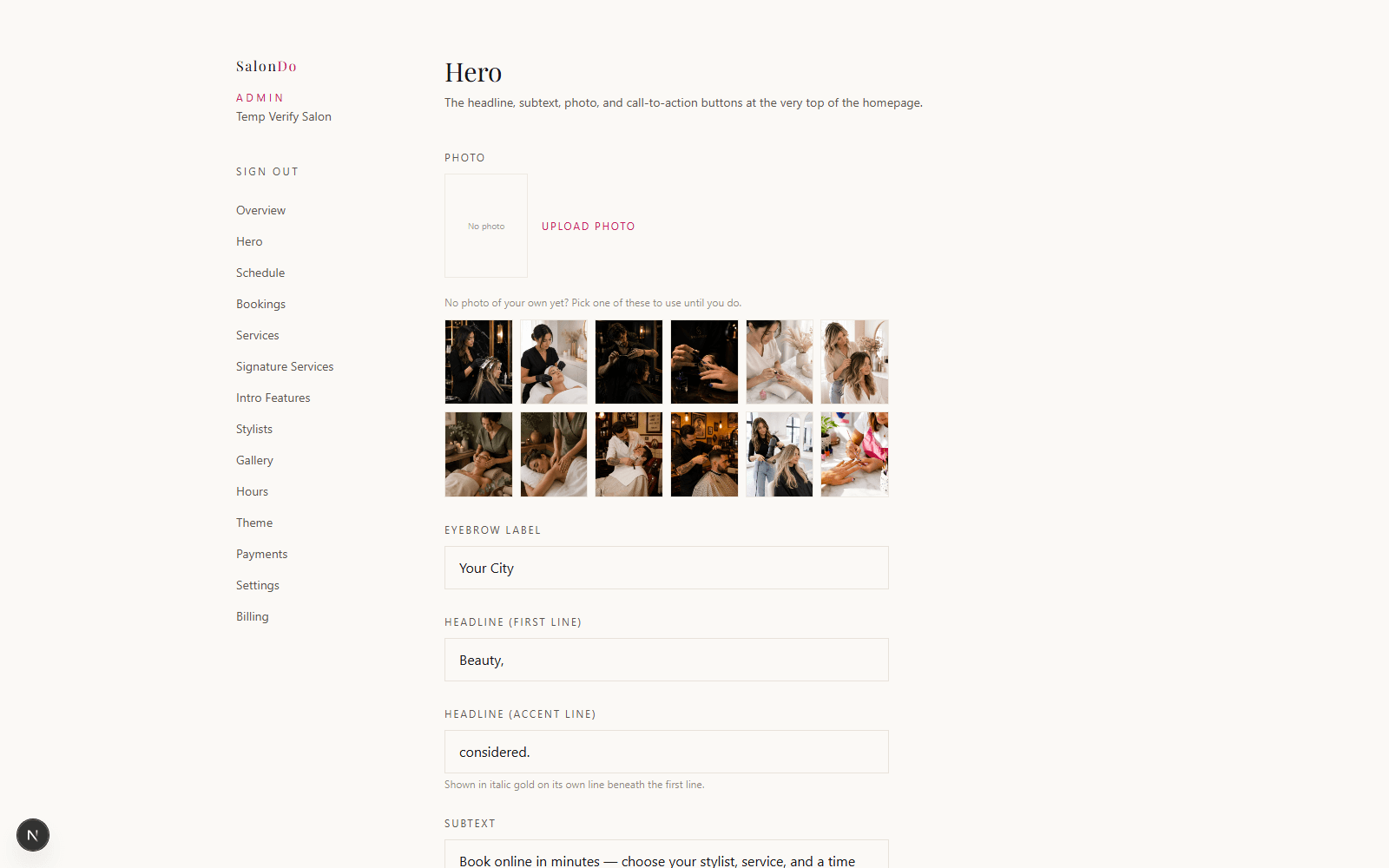
Branding
Your logo, not just your name
Upload your logo once in Settings and it replaces the plain text wordmark in both your site's header and footer. Leave it empty and a clean text version stays — entirely optional, and either way your site never looks unfinished.
Read the Quick Start guide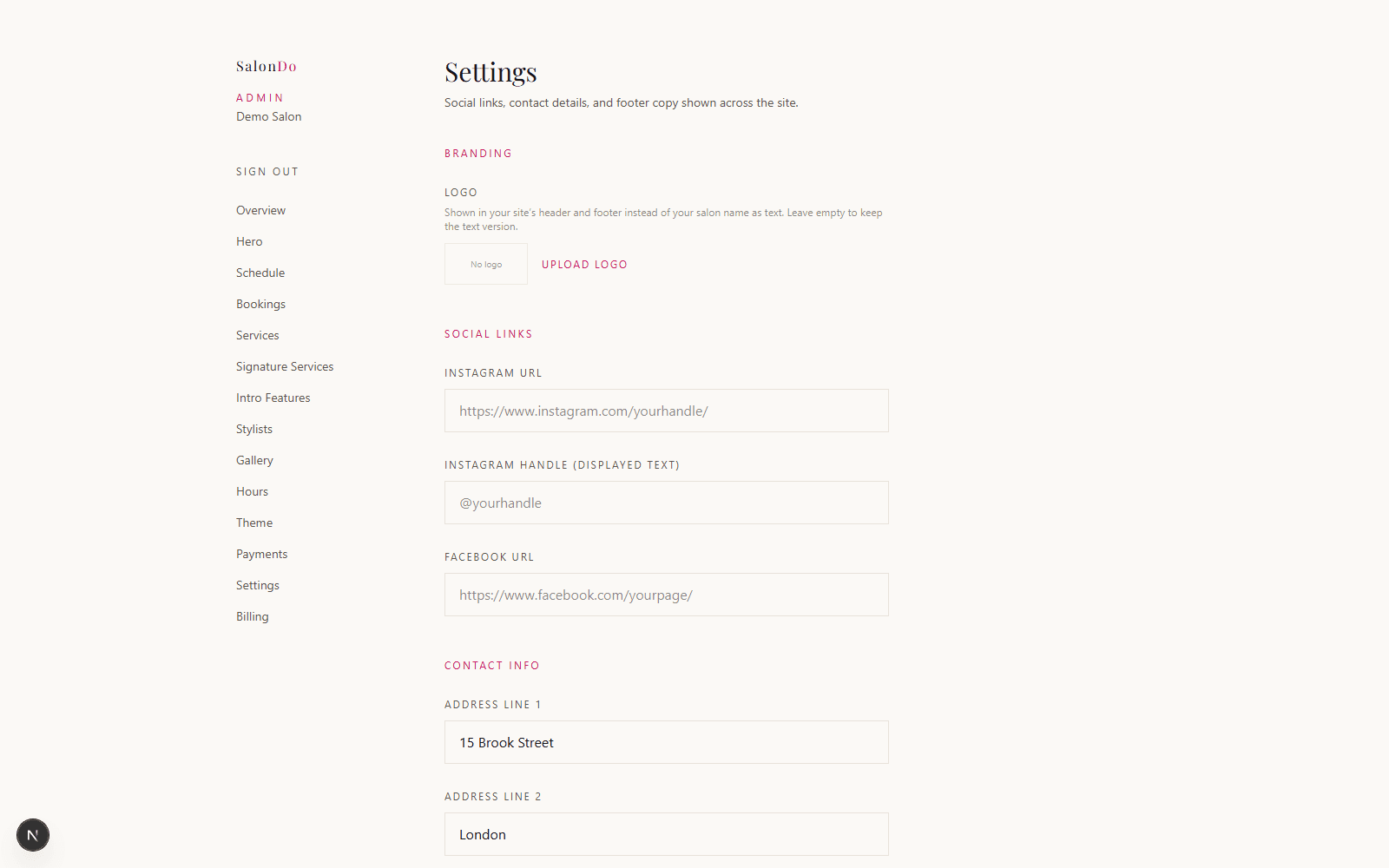
Included Free
Automatic email reminders — no more no-shows
Every client with an upcoming appointment gets a reminder email the day before, sent automatically with no setup beyond turning it on. It's included at no extra cost, not an add-on other platforms charge for.
Booking
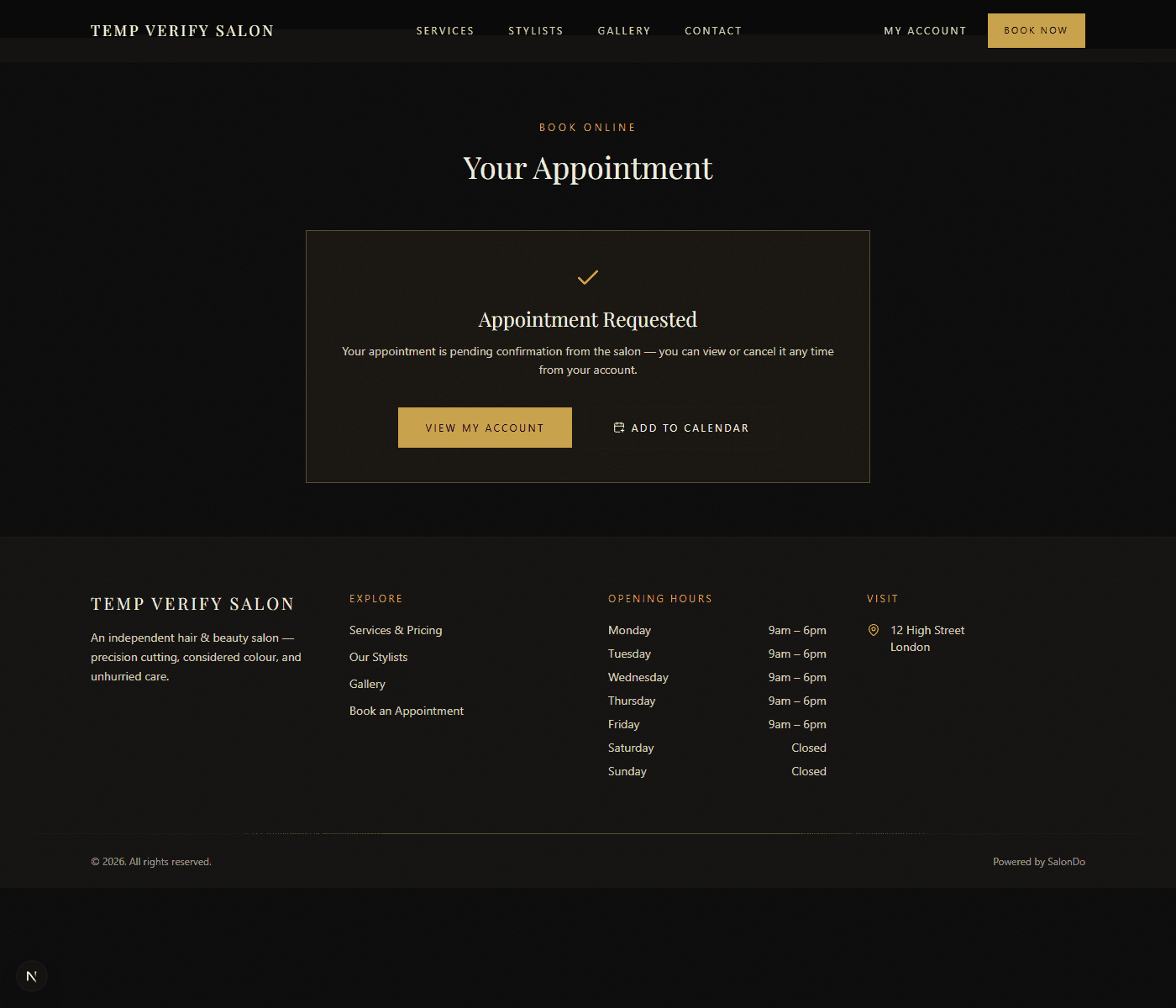
One tap and it's in their calendar
Every booking comes with an Add to Calendar link — Google Calendar, Apple Calendar, Outlook, anything that reads a standard .ics file. Clients get it right on the confirmation screen and again any time from their account, so an appointment never gets forgotten because it only lived in an email somewhere.
Payments
Take deposits online, straight into your own Stripe account
Connect Stripe in a couple of minutes and start collecting a deposit at checkout — flat amount or percentage, your choice. Money goes directly to your own Stripe account, never through us. Cuts down on no-shows, and it's entirely optional — booking works fine without it.
Read the Setting Up Payments guide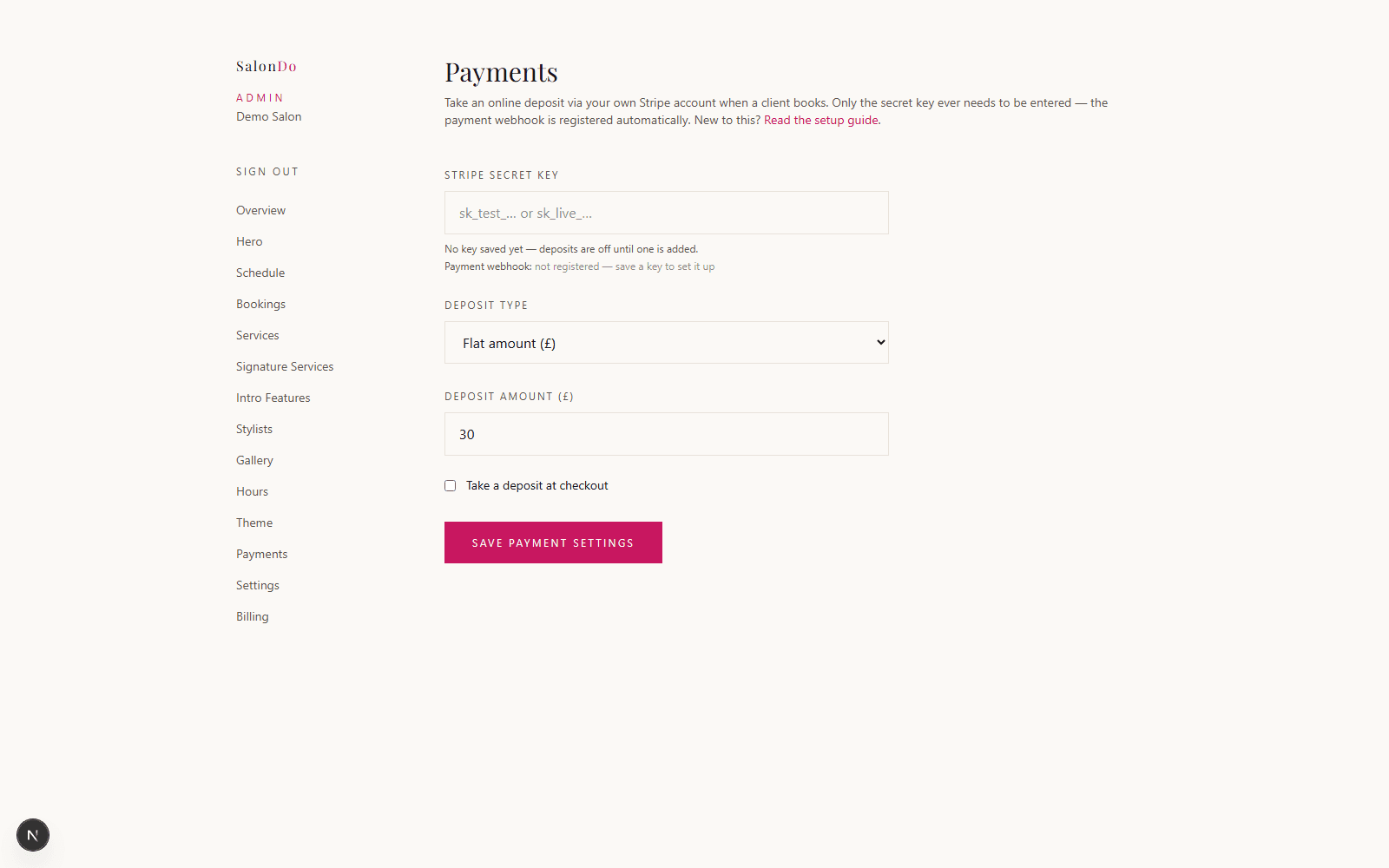
Reputation
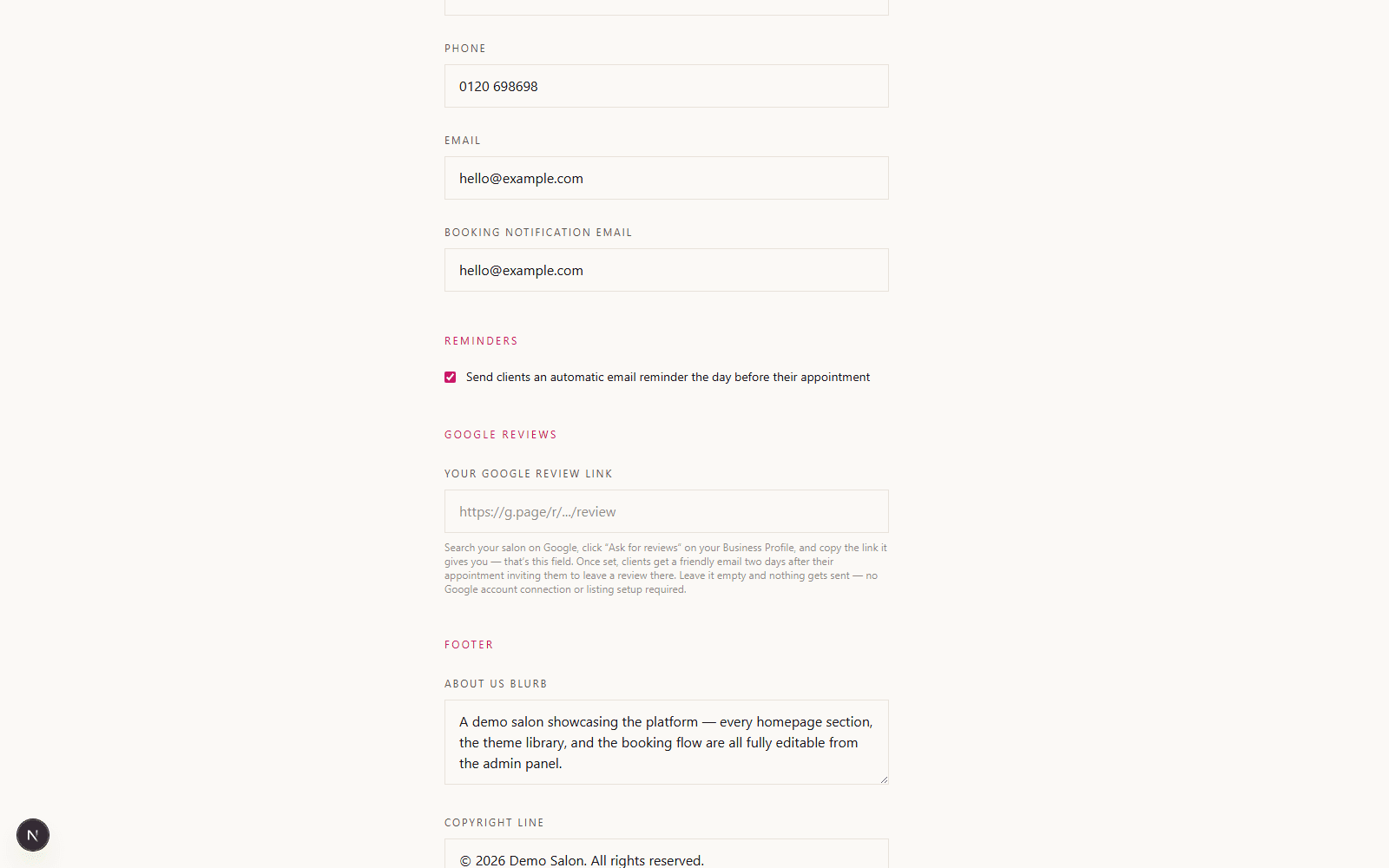
Turn happy clients into Google reviews, automatically
Paste the "Ask for reviews" link from your Google Business Profile into Settings, and clients get a friendly email two days after their appointment inviting them to leave one. No Google account connection, no listing setup or API keys on our side — just a link you already have.
Portfolio
Show off your work, not just your price list
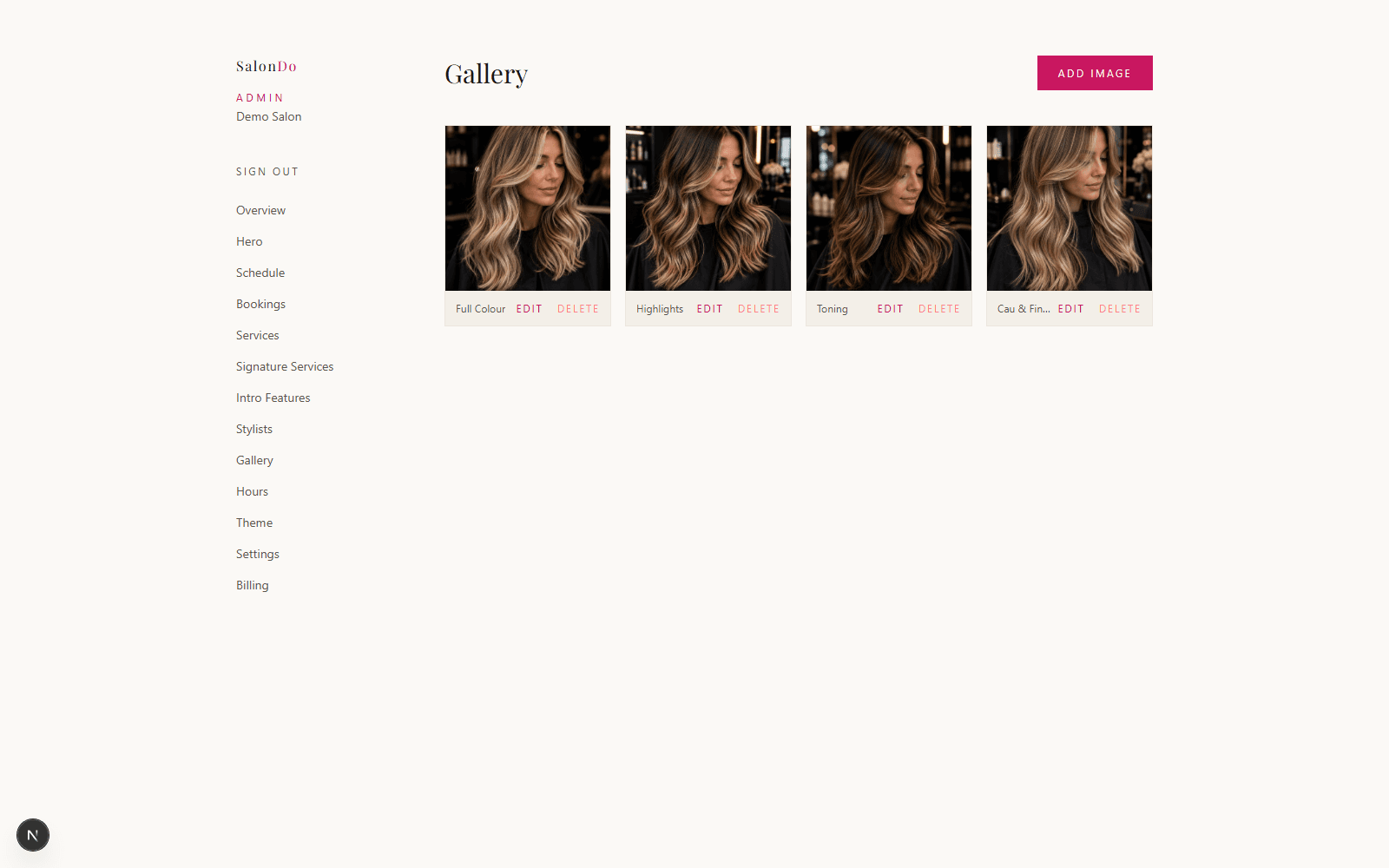
Upload gallery photos of your best work and feature your signature services with their own images and starting prices — the two sections that turn a browsing visitor into a booking.
Moving from Slick?
We can pull your existing services and stylists across for you, free — no manual re-entry, no starting from a blank dashboard. Paste your Slick link into the Migration page in your dashboard and a real person on our team handles the rest, usually within 24 hours. Migration from Vagaro and Treatwell is on our roadmap.
See How We Compare0% commission. Always.
Every feature above is included in the one flat monthly fee — nothing here is a paid add-on, and we never take a cut of your bookings.