Services & stylists
Three steps: add a category, add your services, then tell SalonDo which stylist can be booked for which service. Skip that last part and your booking page will look fine — but no one will actually be able to book anything.
Add a category
Admin → Services
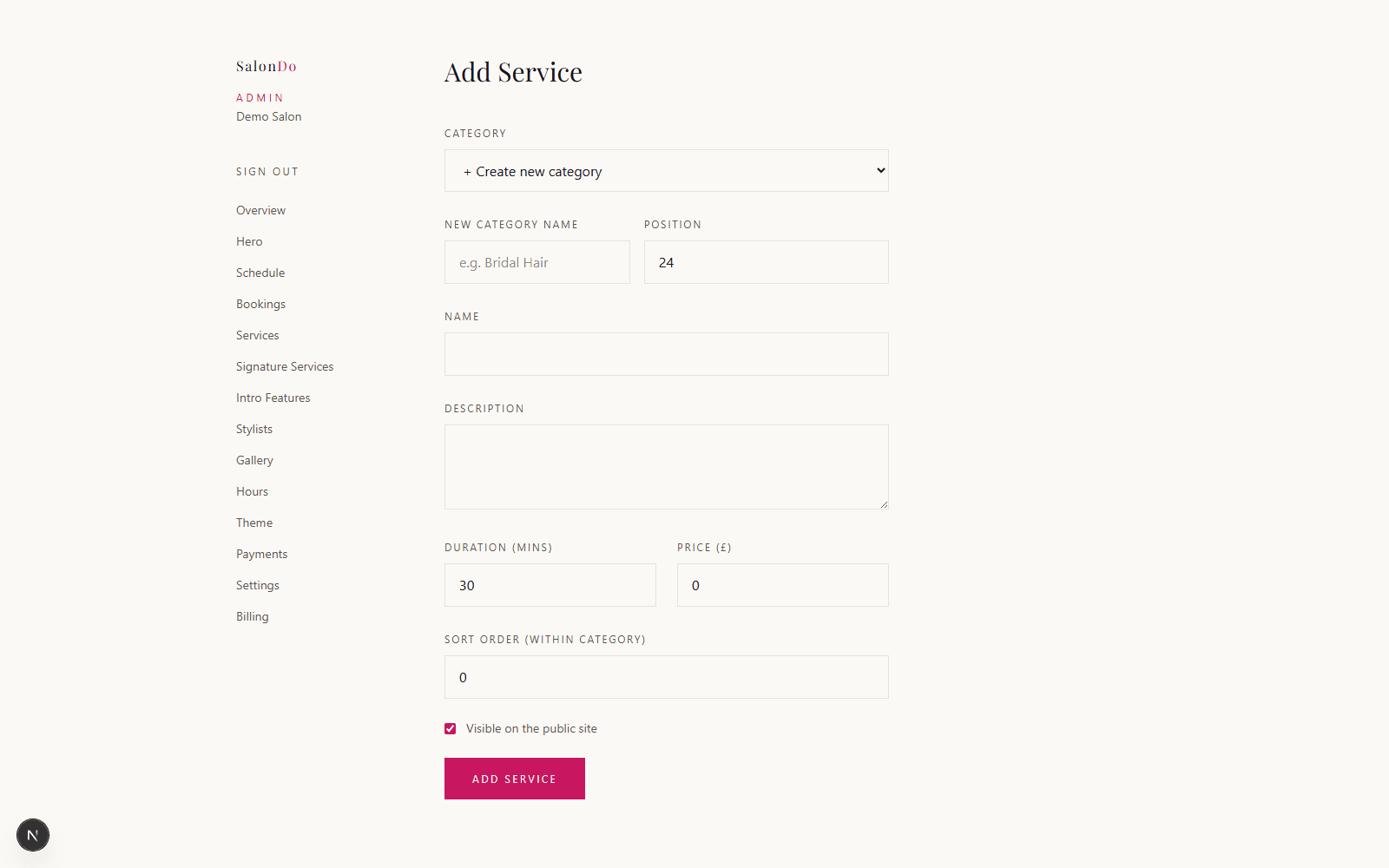
There’s no separate “categories” page — you create one the moment you add your first service. Click Add Service, choose + Create new category from the dropdown, and give it a name (e.g. “Cutting & Styling”, “Colour”, “Nails”). Every service after that can either join an existing category or start a new one the same way.
Add your services
Admin → Services
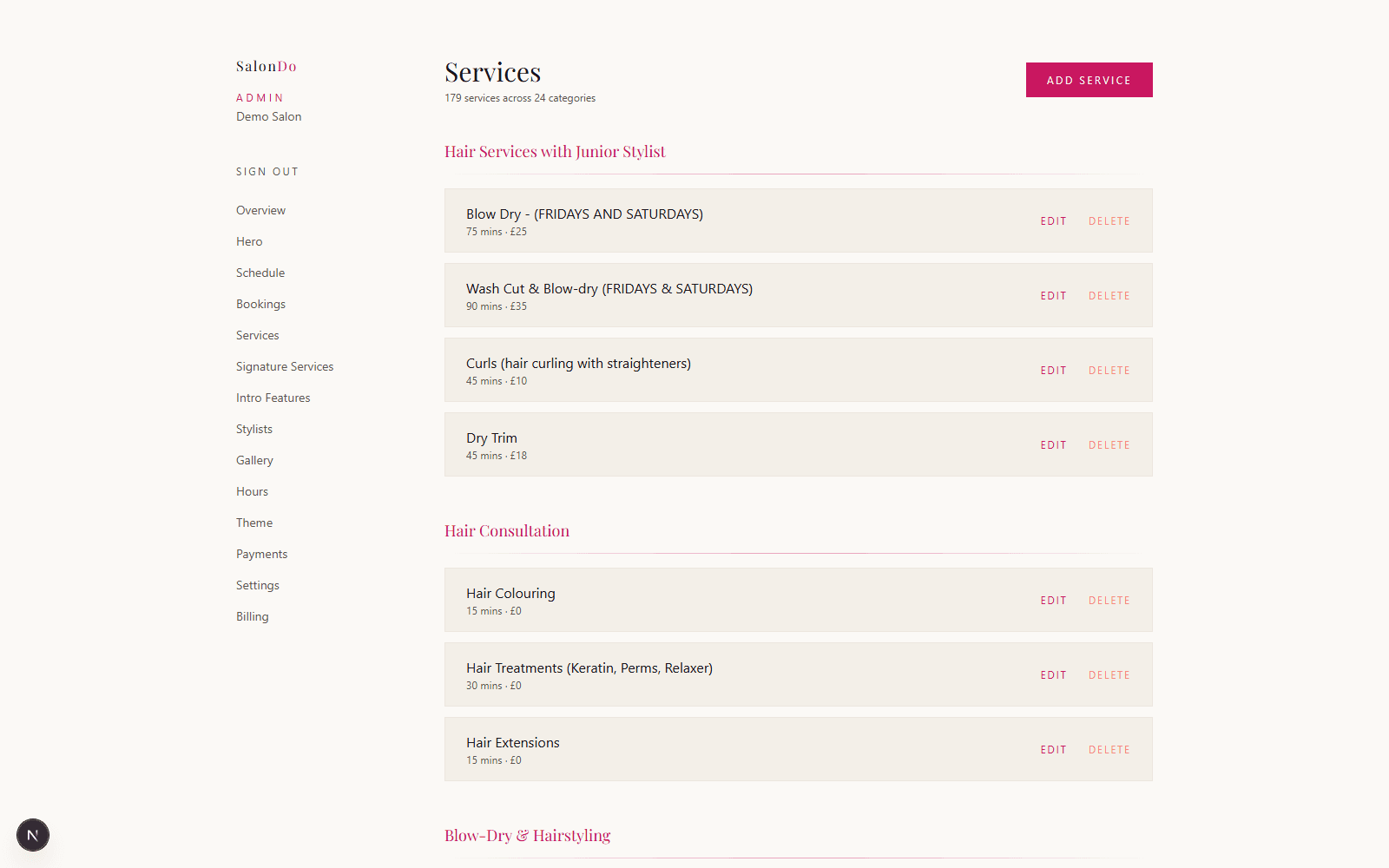
For each service, set a name, duration, and price — that’s what clients see when picking a time slot. Add as many as you need across as many categories as you like; they’re grouped and shown on your Services page in the order you set.
Assign services to each stylist
Admin → Stylists → [name] → Services
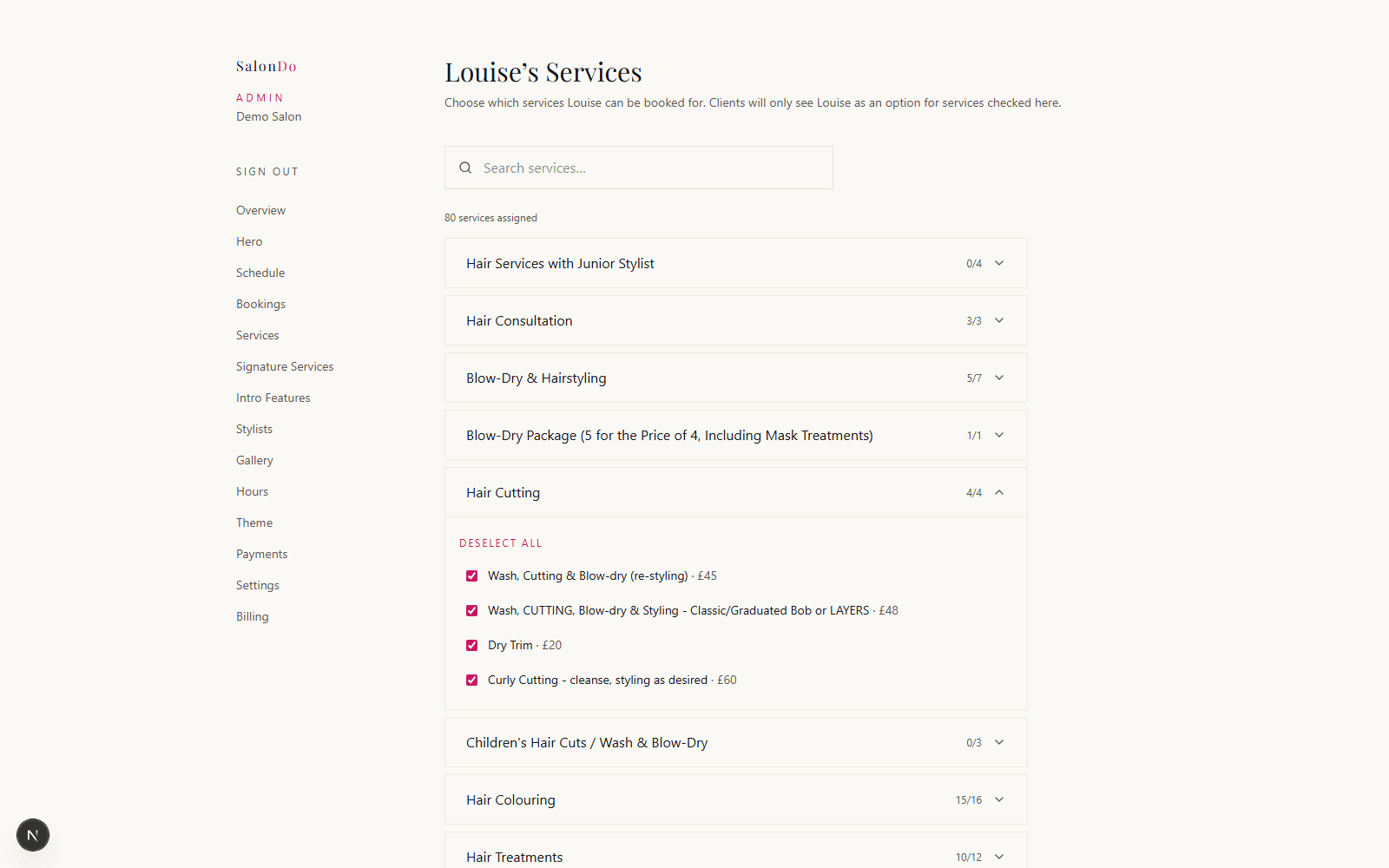
This step is not optional. Adding a service doesn’t automatically let anyone book it — a client can only choose a stylist for a service once that stylist has been checked here. Skip this, and every one of your services will have zero bookable stylists, even though everything looks correct on your site.
Go to each stylist’s Services tab and tick every service they perform. Categories show how many are assigned at a glance (e.g. “4/4”), and the search box helps if you’ve got a long list. Do this for every stylist — it only takes a minute or two each once your services are set up.
How to check it worked
Visit your own site and go through the booking flow as a client would — pick a service and confirm at least one stylist is offered. If the stylist list is empty, come back here and double-check step 3 for that service.