Staff working hours & time off
By default every stylist is bookable whenever your salon is open. Most salons never need to touch this page — it’s here for when someone only works certain days, or needs a one-off day off.
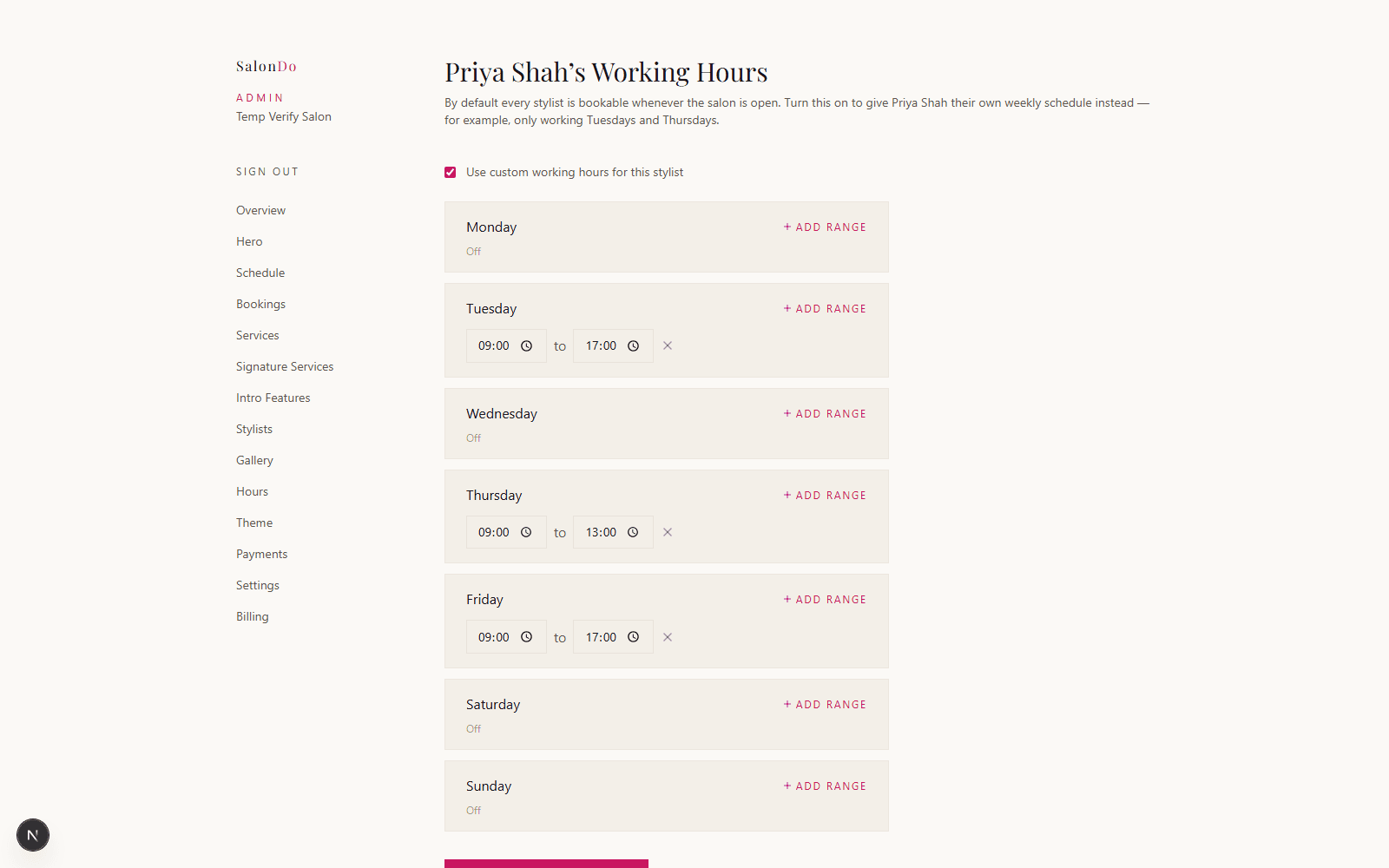
Give a stylist their own schedule
Admin → Stylists → [name] → Hours
Turn on Use custom working hours for this stylist, then set which days they work and what hours, day by day. Need a lunch break or a split shift? Add a second time range to that day — each day can have as many ranges as you need. Clients can only book that stylist inside these hours, and never outside your salon’s own opening hours, even if you set a wider range here.
Add one-off time off
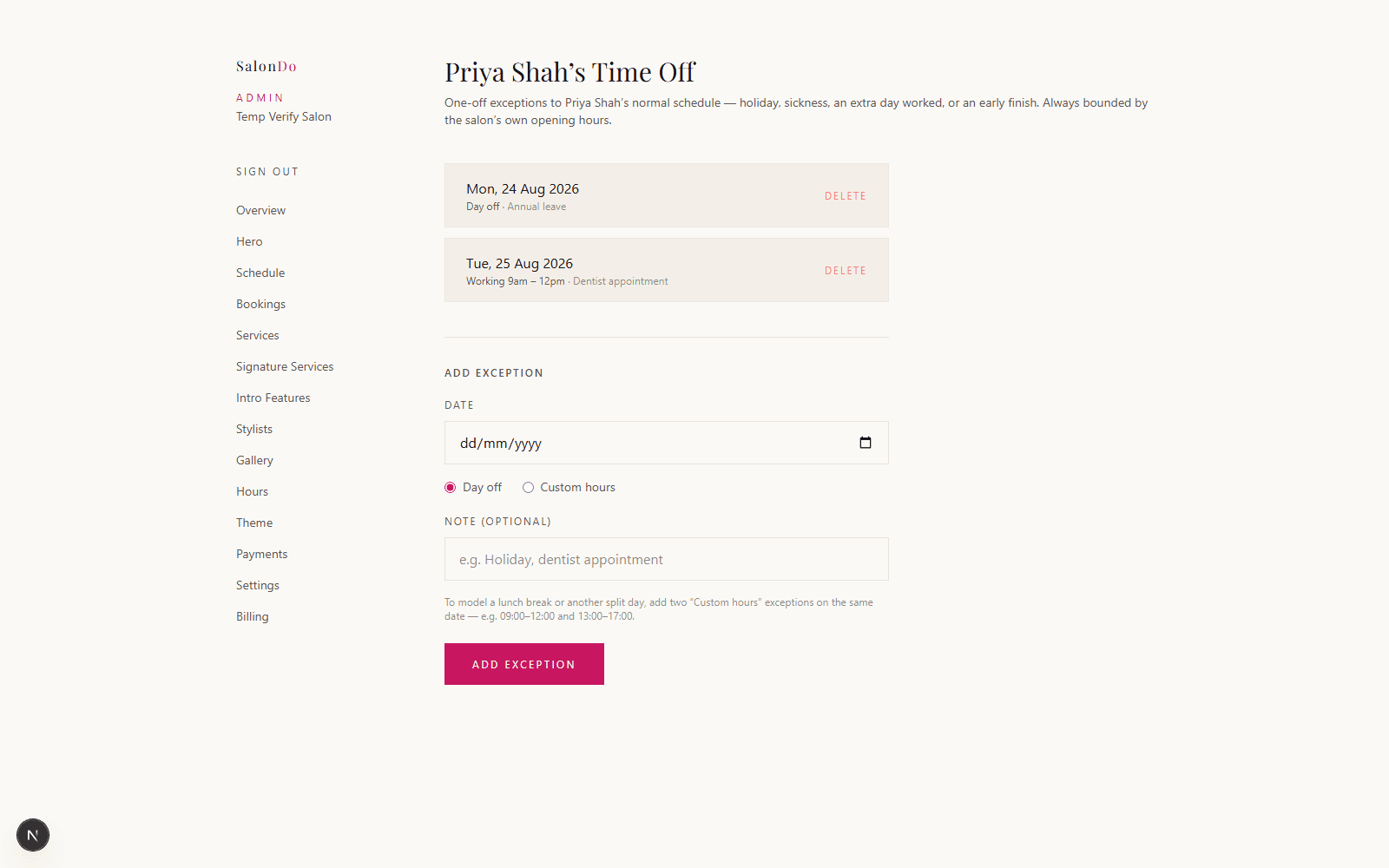
Admin → Stylists → [name] → Time Off
For holiday, sickness, or any other one-off change, add an exception for that specific date instead of touching their normal weekly hours. Mark the whole day off, or set custom hours just for that date — a shorter day for an early finish, or an extra day worked that they wouldn’t normally be in. This works the same whether the stylist has custom hours set up or not.
How to check it worked
Go through your own booking flow as a client would, pick that stylist, and confirm the date picker skips the days they don’t work — and that any exception date you added shows up (or doesn’t) as expected.